

What is the best ASO tool for what you need?
I think a lot of indie developers spend weeks building their apps and barely any time on ASO. I was doing the same thing.
When you finally start, the first question is usually which tool to pay for, if any.
The best app store optimization tool is the one that covers the keywords you actually use, at a price you can keep paying. These picks are for the iOS App Store. If you also publish on Google Play, check that coverage separately.
| What you need | Recommended | Price | Why |
|---|---|---|---|
| Just starting out | ASO Suite Free, RespectASO Free or Minimalist Screens Free | $0 | ASO Suite if you want up to 20 keywords. RespectASO if you want research on your own machine. Minimalist Screens if you want a small list tracked by country. |
| All of ASO in one place, paid monthly | Minimalist Screens Indie | €19,99/month | Keyword research, tracking by country, localization, App Store Connect and screenshots, all in the browser. It’s the only plan here you can pay month to month and cancel anytime. Pro gives you 3× the limits when you need them. |
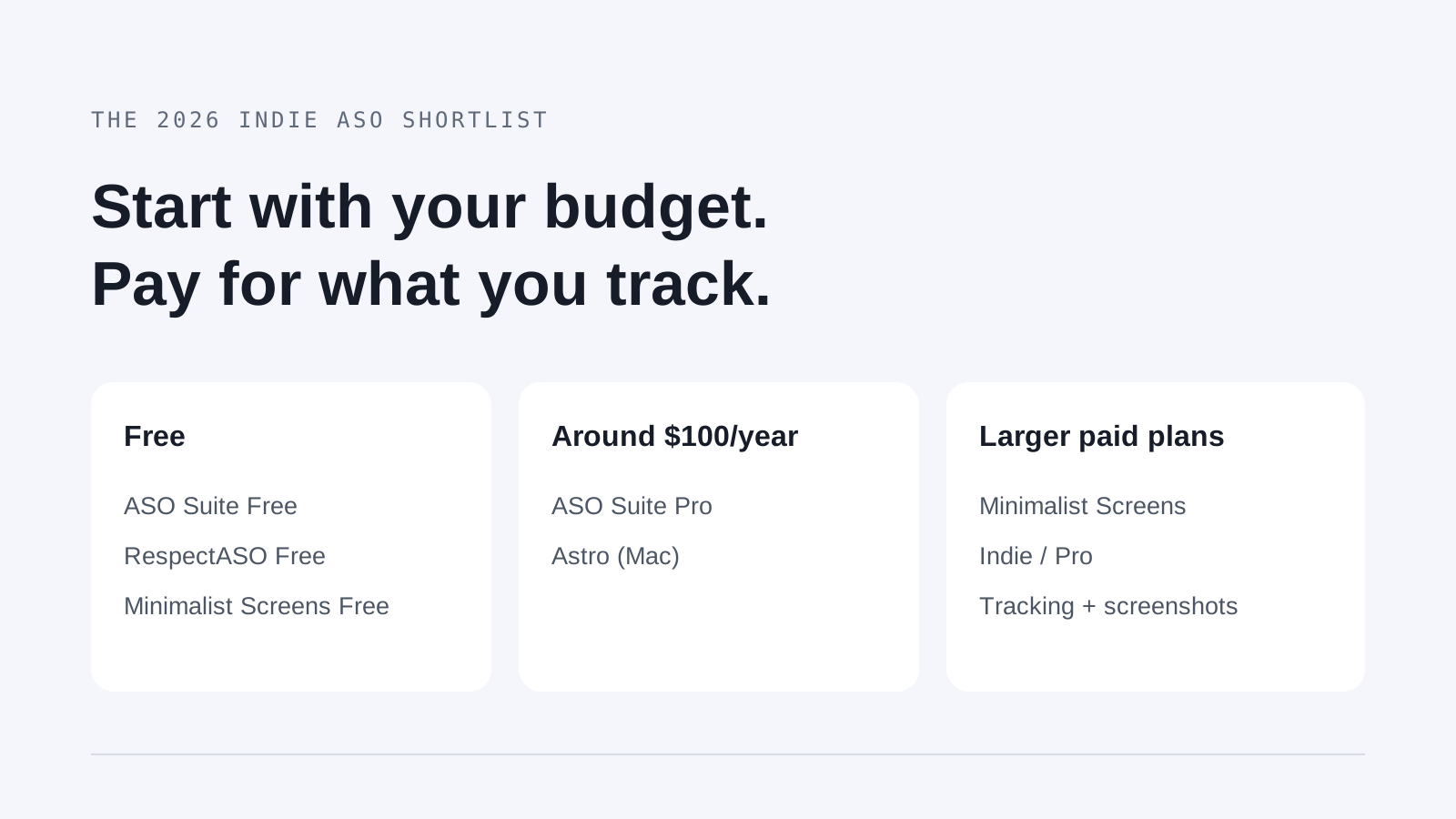
| Keyword tracking only | ASO Suite Pro or Astro | $99 or $108, paid yearly | If tracking is all you need, these cost less. Both bill once a year. Pick Astro if you want a native Mac app. |
Full disclosure: Minimalist Screens is our product. Everything here comes from each tool’s published features, limits and prices, checked on October 22, 2026. I didn’t run an accuracy test, and where a cheaper tool fits better, I say so.
If you’d rather have everything in the browser and start free, try our ASO tool for keyword research and App Store tracking.
How much the best ASO tools cost per year
Look at what you pay for the whole year, not the monthly number on the landing page. Astro shows $9/month, but it’s billed annually, so you pay $108 at once. Dollar prices are USD and euro prices are EUR. I haven’t converted them, and taxes at checkout can change the final amount.
| Tool | Annual price | Paid tracking capacity | Official source |
|---|---|---|---|
| ASO Suite | $99/year (Pro) | Pro gives you unlimited keywords and regions. | ASO Suite plans |
| Astro | $108/year; $9/month equivalent, billed annually | Unlimited apps and keywords in 60+ countries. | Astro plans |
| RespectASO Free | $0 software licence | Research and rank checks run on your machine. There’s no hosted tracking quota. | RespectASO Free plans |
| Minimalist Screens | Free; Indie €199,90/year; Pro €499,90/year | Indie: 200 combinations and 20 app-country pairs. Pro: 600 combinations and 60 pairs. | Minimalist Screens plans |
Of the paid plans here, ASO Suite has the lowest annual price. Minimalist Screens costs more per year, but it covers research, tracking, localization and screenshots in one place, and you can pay it monthly. If tracking is all you need, go with a cheaper tool.
What are the best free ASO tools?
ASO Suite, RespectASO and Minimalist Screens all let you start for free. ASO Suite if you want 20 keywords. RespectASO if you want research running on your own machine. Minimalist Screens if you want a small hosted list tracked by country.
| Tool | What is free | Main constraint |
|---|---|---|
| ASO Suite | 20 keywords in 2 regions, with a cap on overall usage. | Check how the same keyword in different regions counts toward the free limit. |
| Astro | No free plan if you want to keep tracking. | One Mac licence, and it needs macOS 14 or later. |
| RespectASO Free | Open-source keyword research, competitor analysis and rank checks, with 3 keywords per search. | The native app needs macOS 12+ and Apple Silicon, but Docker works for the free features. The Pro AI features aren’t part of the free edition. |
| Minimalist Screens | 1 app, 10 tracked keyword-country combinations, 2 app-country pairs, 50 analyses a month and 7 days of history. | iOS App Store only. The same keyword in two countries takes two tracking slots. |
A local rank check is not the same as hosted tracking with history. With RespectASO the checks run on your own machine, so it’s worth thinking about when they actually run. With a hosted plan, check how often it updates, how much history it keeps, and how one keyword in several countries counts toward the limit.
The four tools and their trade-offs
ASO Suite
If you just want to keep tracking, it’s the cheapest pick here, at about $100 a year. 20 keywords in 2 regions, with a cap on overall usage. Pro gives you unlimited keywords and regions.
Check how the same keyword in different regions counts toward the free limit. See the official ASO Suite details.
Astro
Pick it if you want a native Mac app with popularity data from Apple. No free plan if you want to keep tracking. Unlimited apps and keywords in 60+ countries.
One Mac licence, and it needs macOS 14 or later. See the official Astro details.
Astro says its popularity comes straight from Apple Search Ads, and it calculates difficulty its own way. You get daily rank updates and history charts. It’s a paid Mac app, so it’s not the right fit if you want to work in the browser.
RespectASO Free
It’s the one to try if you want free research that stays on your own machine. Open-source keyword research, competitor analysis and rank checks, with 3 keywords per search. Research and rank checks run on your machine. There’s no hosted tracking quota.
The native app needs macOS 12+ and Apple Silicon, but Docker works for the free features. The Pro AI features aren’t part of the free edition. See the official RespectASO Free details.
Minimalist Screens
It puts keyword research, tracking by country, localization and screenshots in one browser tool. 1 app, 10 tracked keyword-country combinations, 2 app-country pairs, 50 analyses a month and 7 days of history. Indie: 200 combinations and 20 app-country pairs. Pro: 600 combinations and 60 pairs.
iOS App Store only. The same keyword in two countries takes two tracking slots. See the official Minimalist Screens details.
Paid plans also include screenshot kits. If you only care about tracking, look at the cheaper options above first. Otherwise, explore the ASO tool or the App Store rank tracker.
What is the cheapest way to track App Store keyword rankings?
For a small list, a free plan is the cheapest option. Once you track 100 terms in one country, ASO Suite Pro works out to $0.99 per term per year and Astro to $1.08. That’s just the annual price divided by 100, not a per-keyword charge.
| Paid plan | Annual bill | Tracking allowance | Annual cost / term at 100 | Annual cost / slot at full capacity |
|---|---|---|---|---|
| ASO Suite Pro | $99 | Unlimited | $0.99 | Depends on usage |
| Astro | $108 | Unlimited | $1.08 | Depends on usage |
| Minimalist Screens Indie | €199,90 | 200 keyword-country slots | €2.00 | €1.00 |
| Minimalist Screens Pro | €499,90 | 600 keyword-country slots | €5.00 | €0.83 |
Formula: annual price ÷ the keyword-country combinations you actually follow. Use your real usage, not “unlimited”. For example, 50 terms in two countries is 100 combinations in Minimalist Screens. Other tools may count limits differently, so check their rules before comparing several markets.
The full-capacity column uses each plan’s maximum keyword slots, rounded to two decimals. It doesn’t mean history, refresh rate or data quality are the same across tools. It also puts the whole Minimalist Screens price on tracking, even though screenshot kits are included.
Which ASO tool has the most accurate data?
Honestly, no tool in this comparison has been proven the most accurate. Before comparing, it helps to split the numbers into three metrics, because they answer different questions.
- Ranking: the position you see for a keyword, in one country, at one moment. Search results move, so compare the same country at the same time.
- Search popularity: Apple Ads is the official Apple signal. Apple shows it on a 1–5 scale in its interface. It tells you how popular a term is compared to others, not how many people search for it each month. Read Apple’s explanation.
- Estimated popularity and difficulty: every tool uses its own model. RespectASO documents signals like competing apps, relevance and market depth, and difficulty looks at how strong the competition is. Two tools can disagree without either of them having measured real search volume.
Astro says it uses Apple popularity data. RespectASO can connect to Apple Ads and estimates popularity otherwise. Minimalist Screens uses Apple popularity for supported keywords when you connect Apple Ads, and may estimate it when Apple has no value. So don’t assume every number in a dashboard comes from Apple. Check where each one comes from.
A simple test: compare the same keywords, country and date across tools. After you update your metadata, look at impressions and downloads in App Store Connect. And keep in mind that a high popularity score doesn’t mean the keyword fits your app.
Is it worth subscribing to an ASO tool?
It depends on how many keywords and countries you follow. If you’re testing one app in one market, the free plan is enough to start. If you check dozens of terms in several countries every week, doing it by hand gets old fast.
Before upgrading, count your apps, countries and keyword-country combinations. Think about how much history you need and how often you’ll actually change your metadata.
The most common mistake I see is people translating their metadata for each language without doing keyword research for each country. A tool helps you make these decisions, but it can’t guarantee rankings or downloads.
New to ASO? Start with our guide to app store optimization, build a short list of relevant keywords, then decide if you need a bigger plan.