
Minimalist Screens vs AppScreens
Maybe ChatGPT pointed you to AppScreens. That’s a fine place to start. What should decide it is your device sizes, your budget and how you publish.
| What matters | AppScreens | Minimalist Screens |
|---|---|---|
| Main reason to choose it | Screenshot design and release delivery. | Screenshot kits alongside keyword research and rank tracking. |
| Free access | One project, five screens and essential exports. | Screenshot previews and a Free ASO account. Clean screenshot downloads are paid. |
| Payment | Pro $99/year, Scale $180/year. Monthly billing is also available. | €2,99 for one kit. Indie €19,99/month or €199,90/year. |
| Localization | 80+ languages on paid plans. | Localized screenshot kits and an iOS listing localization workspace. Each rendered language counts toward the paid kit allowance. |
| Store uploads | Paid direct uploads to Apple and Google. | App Store Connect screenshot uploads on Indie and Pro when publishing is available. No Google Play direct upload. |
| Screenshot generator sizes | Broad Apple and Android output support. | App Store: 1242 × 2688 px. Google Play: 1080 × 1920 px. No iPad or 6.9-inch iPhone generation yet. |
Full details are on AppScreens’ pricing page and ours. For me the real question is simple. Do you need a system for shipping screenshot releases? Or do you need screenshots plus ongoing iOS ASO work?
AppScreens pricing: what you actually pay
AppScreens Pro is listed at $8.25 a month, billed yearly. So you pay $99 upfront for the year. Scale is $180 a year. Taxes may apply.
Keep in mind that $8.25 is the yearly price split into 12. It’s not what you’d pay going month to month.
Minimalist Screens is €2,99 for a single kit. If you do screenshots and ASO every month, Indie is €19,99/month or €199,90/year. Pro is €49,99/month or €499,90/year. Yearly plans are paid upfront. Our prices are in euros, theirs in US dollars.
To be fair, our subscription is not a cheaper version of AppScreens Pro. If you only need screenshots, buy one kit. Indie makes sense when keyword research and tracking are part of your week. Each language you render counts as a kit in the subscription.
An AppScreens alternative for iOS screenshots and ASO
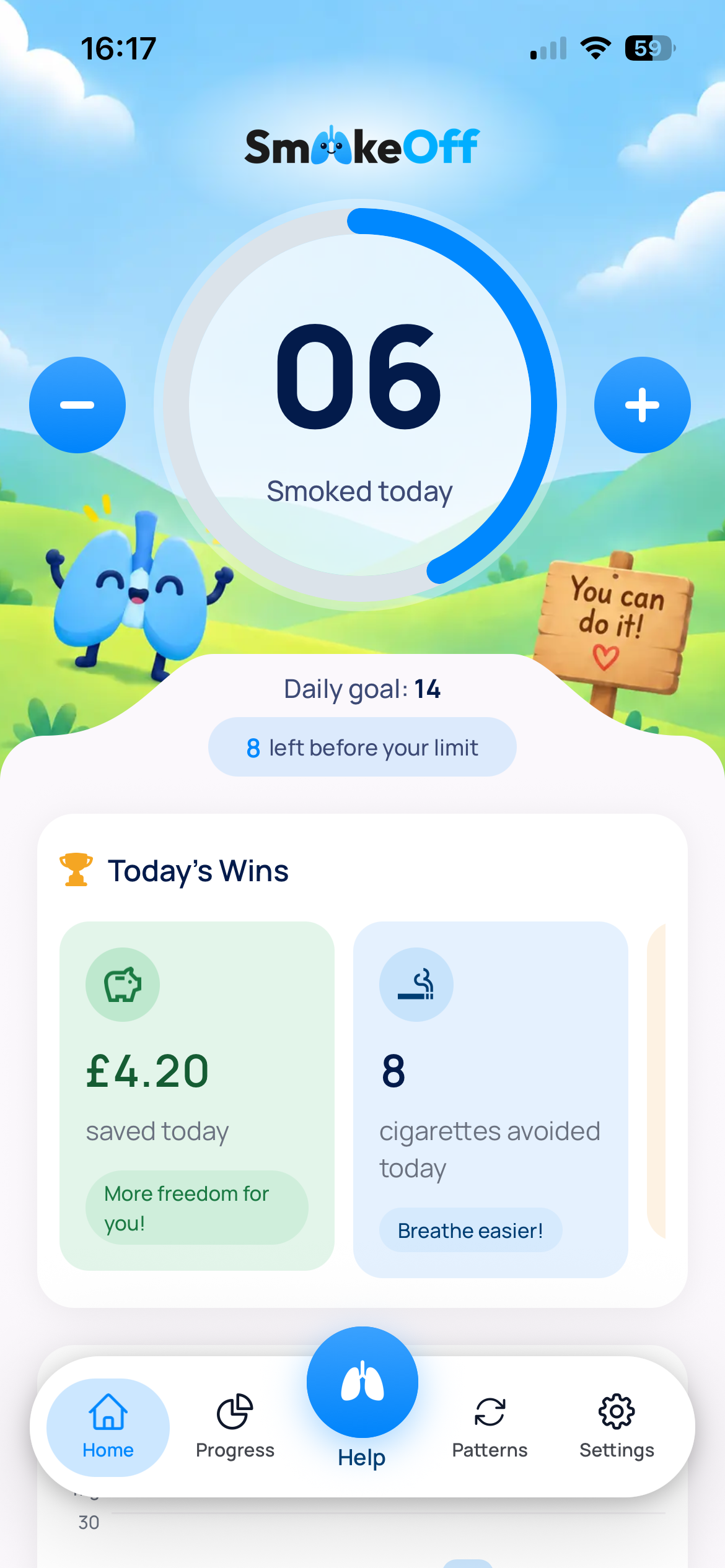
I started building iOS apps with Smoke Off, an app that helps people quit smoking. Every YouTube video about growing an app said the same thing: you need ASO.
Most ASO tools I tried felt incomplete for an indie dev. So my brother and I built our own, and put the screenshot generator in the same place. This is how I use it:
- Research keywords and compare opportunities for one country.
- Turn the best ones into short screenshot headlines, on top of real app captures.
- Track rankings by country after I update the listing.
When I localized Smoke Off into 10 languages, I did separate keyword research for each country. Just translating the page wasn’t enough.
By mid-October that work had brought 60+ downloads, 5 free trials and 1 paying customer. All organic. Not much, but it’s a start.
One honest limit. Rank tracking shows you where you appear in search. It can’t prove a new screenshot caused a ranking change, and it doesn’t measure conversion. For that, run a store experiment.
.png)
Right now the generator exports 1242 × 2688 px for the App Store and 1080 × 1920 px for Google Play. No iPad or 6.9-inch iPhone output yet. Check the required screenshot sizes for your app before you buy.
Try the App Store screenshot generator → Or have a look at the ASO tool and the App Store rank tracker.
Does AppScreens upload directly to App Store Connect?
Yes. On paid plans, its upload workflow sends your screenshots to App Store Connect and Google Play. You pick the app, the destination, the device sets and the languages. Then you check the result in the store.
Minimalist Screens can upload screenshots to App Store Connect too, from the dashboard, on Indie and Pro. You need a connected Apple account with the right permissions, an editable app version and publishing turned on. On Free it’s read-only. The dashboard tells you when publishing isn’t available.
You can upload compatible files or a paid kit from your archive. Uploading iPad files you already have doesn’t mean our generator makes iPad screenshots. It doesn’t, yet. For Google Play you download the kit and upload it yourself in Play Console.
Which tool is best for app screenshots?
| Tool | Best for | Access | Check first |
|---|---|---|---|
| Minimalist Screens | iOS developers who want screenshots and ASO together | Free preview and limited ASO. €2,99 for a clean kit. | Fewer generated device sizes. Paid plans have keyword and country tracking limits. |
| AppScreens | Repeated multilingual releases to both stores | Free entry plan. Subscriptions for the full workflow. | Client work requires the appropriate licence. |
| AppMockUp Studio | A free browser design workflow | Advertised as free, with no account required. | Test your required device slot and export before building the whole set. |
Want more options? Read our screenshot generator comparison or the AppLaunchpad alternative guide.
Is AppScreens worth it, or should you switch?
If your team ships localized screenshot sets to both stores again and again, AppScreens makes sense. Its localization workflow keeps languages and destinations together. If that saves you work every release, honestly, I’d keep it.
Minimalist Screens fits better when you want one simple kit, or when you also need iOS keyword research and country tracking. It’s the wrong pick if you need lots of generated device sizes or direct uploads to Google Play.
Switching is manual. Keep your original app captures (PNG, JPG or WebP) and copy your headlines. Rebuild one screen in our editor, check the preview and the output size, then do the rest.
There’s no importer for AppScreens projects. A flattened export won’t give you back separate text and frame layers, so you’ll start from the captures.
If you try Minimalist Screens, I’d love to know what’s missing for your release. We’re still building it.