

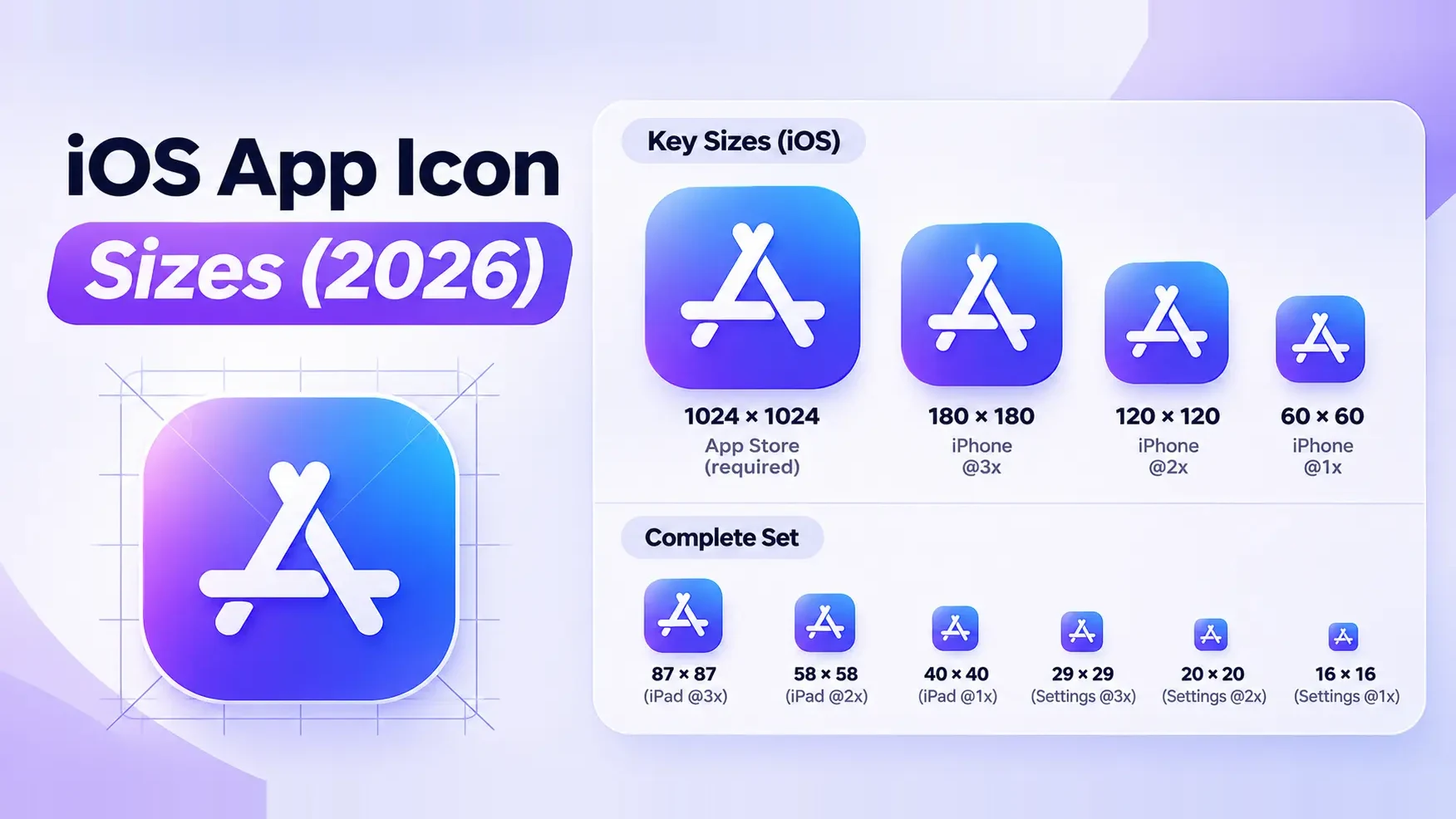
What size is the iOS App Store icon?
One file covers the App Store and the device: a 1024 × 1024 px square. These are the specs App Store Connect checks.
| Size | 1024 × 1024 px |
|---|---|
| Format | PNG |
| Color space | sRGB or Display P3 |
| Transparency | None: opaque background, no alpha channel |
| Corners | Square: iOS applies the rounded mask |
The icon ships inside your app build, so you add it in Xcode, not in App Store Connect. The most common rejection is a PNG with an alpha channel: an image that looks opaque still fails if the file was saved with transparency. Flatten it and export again. App Store Connect app icon instructions.
If your artwork is ready, the free app icon generator exports an opaque 1024 px PNG or an Xcode asset catalog with every iPhone and iPad size filled in.
All iPhone and iPad app icon sizes
You only need these if you fill an All Sizes catalog in Xcode or want to see how small the icon gets. Sizes are in points; the pixel size is points × scale. Current iPhones are 3×, iPads are 2×. Apple’s app icon slot reference.
| Device | Placement | Points | 2× pixels | 3× pixels |
|---|---|---|---|---|
| App Store | Product page | – | 1024 × 1024 | |
| iPhone | Home Screen | 60 × 60 | 120 × 120 | 180 × 180 |
| iPhone | Spotlight | 40 × 40 | 80 × 80 | 120 × 120 |
| iPhone | Settings | 29 × 29 | 58 × 58 | 87 × 87 |
| iPhone | Notifications | 20 × 20 | 40 × 40 | 60 × 60 |
| iPad Pro | Home Screen | 83.5 × 83.5 | 167 × 167 | – |
| iPad | Home Screen | 76 × 76 | 152 × 152 | – |
| iPad | Spotlight | 40 × 40 | 80 × 80 | – |
| iPad | Settings | 29 × 29 | 58 × 58 | – |
| iPad | Notifications | 20 × 20 | 40 × 40 | – |
The smallest icon people see is 40 px, in a notification. Shrink your artwork to that size before you export: thin lines and small text disappear first.
Single Size or All Sizes in Xcode?
Open Assets.xcassets, select AppIcon and look at the iOS setting in the inspector.
- Single Size (the default since Xcode 14): one 1024 px image, Xcode scales it down. Right for almost every app.
- All Sizes: you supply each slot from the table above. Use it only when a small size needs simpler artwork, for example a logo without its wordmark.
- Dark and tinted: since iOS 18 you can add a 1024 px dark variant and a grayscale tinted variant next to the default icon. Without them, iOS makes its own.
With iOS 26 Apple added Icon Composer: you build the icon from layers in a .icon file and the system renders the Liquid Glass look, plus the dark, clear and tinted appearances. The canvas is still 1024 × 1024 px. Configuring your app icon in Xcode.
App icon design rules
- Leave the corners square. iOS applies the rounded mask, a continuous curve that a plain corner radius doesn’t match. Keep the symbol away from the corners.
- Fill the background to the edges. No transparent areas, no white frame, no shadow around the square.
- One simple, centered symbol. Skip text and fine detail: most of the time the icon is shown at 60 points or less.
- Check every appearance. Look at the icon in default, dark, clear and tinted mode, on light and dark wallpapers.
- Don’t use Apple’s artwork. Apple hardware, Apple icons or the App Store badge in your icon can get the app rejected.
Mac, Apple Watch and Vision Pro icon sizes
Every Apple platform starts from a 1024 × 1024 px canvas. What changes is the shape.
| Platform | Size | Shape |
|---|---|---|
| Mac | 1024 × 1024 px | With Icon Composer the system draws the shape; a classic PNG needs the rounded shape and margin drawn in. All Sizes also takes 16 to 512 pt at 1× and 2× |
| Apple Watch | 1024 × 1024 px | Square artwork, watchOS masks it to a circle |
| Apple Vision Pro | 1024 × 1024 px | Up to three layers, masked to a circle |
What size is the Google Play app icon?
Export a 512 × 512 px square, 32-bit PNG in sRGB with a maximum file size of 1024 KB. As on iOS, leave the corners square: Google Play applies its own mask and shadow. Google Play icon specifications.
The icon on the phone’s launcher is a separate asset: adaptive icon layers on a 108 × 108 dp canvas, with the logo inside the central 66 dp. Android adaptive icon guide.
Apple’s iOS app icon template for Figma
Duplicate Apple’s template and place your artwork on the 1024 px canvas. Use the grid to center the symbol and the mask to preview the rounded shape, then export the full square without the mask. Open Apple’s App Icon Template in Figma.
Apple also has versions for Sketch, Photoshop and Illustrator. Apple Design Resources.