

iPhone Mockup Generator
Give your app screens a frame that fits. Create an iPhone app mockup with your own interface, a device frame and a background you can make your own.
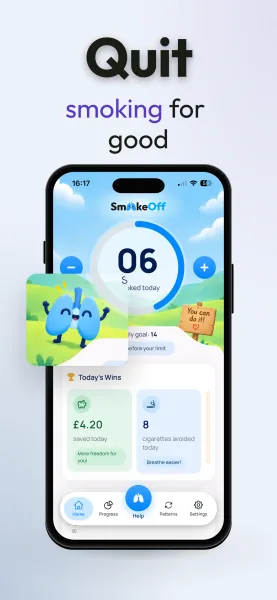
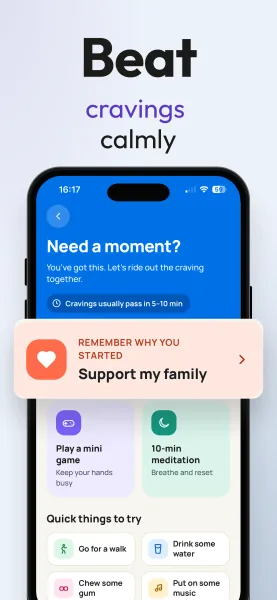
Your real screen.
Your choice of frame.
Upload the screenshots you took in your app or in the iOS Simulator. Pick a design, then change the phone, the background, the font and the headlines right in the browser.
Keep the screen big enough to read. A phone seen from the front works best for a busy screen. A tilted phone adds depth, as long as the interface still has room.
You see the result before you pay. When it looks right, you download the whole kit as PNG files.
Choose the device
in your design.
There is a flat iPhone frame you can restyle, and these 3D iPhones:
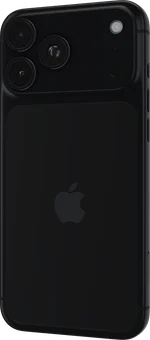
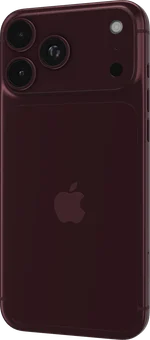
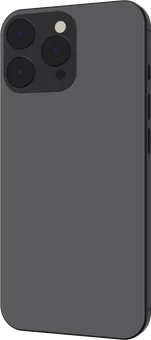
With a 3D iPhone you move and turn the phone until the angle feels right; your browser needs WebGL2 for it. Whatever phone you pick, the download is a flat PNG, and its size depends on the export, not on the model.
Device list checked on . There is no iPhone 17 model yet.
Preview first.
Download when it fits.
Making and previewing a design is free, and you don’t need an account. The preview has a watermark. A clean download costs €2,99 for one kit, or comes with a subscription.
The kit has iPhone PNGs at 1206 × 2622, 1320 × 2868 and 1242 × 2688 pixels, with the background included, ready for the App Store. You can’t export the phone alone on a transparent background, a 3D file or an animation, and there are no iPad sizes yet.
Read the App Store screenshot size guide or compare kits and subscriptions.
Keep the app
at the center.
A frame puts your interface in context, but the screen is what people look at. On the App Store it should show the app in use, with the features people actually get.
Apple’s Guideline 2.3.3 allows text and images on top of your screenshots. Use an Apple device, never a phone from another platform, and leave enough of the interface visible to understand it.
A headline can say why a screen matters. It can’t promise something the app doesn’t do. Read Apple’s accurate metadata guidelines before submitting your set.
Doing the whole set? The App Store screenshot generator keeps headlines, frames and sizes the same on every screen.
See how to choose a frame, find Figma templates and check your export in the App Store screenshot mockups guide.
Put your appin the picture.
Make your iPhone mockup and see it for free, no account needed.
Create your mockupiPhone mockup generator FAQ
Preview access, device choices and the files you can download.
You can create and preview an iPhone mockup in Minimalist Screens for free, without an account. The preview has a watermark. Downloading clean PNG files requires a one-time kit at €2,99, or a subscription that includes screenshot kits. The Free account plan includes ASO tools, but does not include clean mockup downloads. Create a free preview →
Checked November 3, 2026: the editor’s 3D iPhone choices are iPhone 18 Pro Max (black), iPhone 18 Pro Max (burgundy), iPhone (titanium). A customizable 2D iPhone-style frame is available too. These are the names used in the editor’s device gallery; there is no separate iPhone 17 model in the current catalog. Device appearance and PNG export dimensions are separate choices. See the current device gallery →
Yes. Choose a 3D iPhone in the editor, add your app screenshot and adjust the device position and angle. The 3D editor needs WebGL2 support in your browser. You download a flat PNG of the finished composition, not a 3D model, animation or editable scene file.
You can download the finished composition as PNG with a paid kit, but there is currently no transparent-background or isolated-device export. The background is included in the final image. App Store screenshots should use an opaque background with no transparency or alpha channel. Check screenshot file requirements →
Yes, provided the composition accurately shows your app in use. Apple’s Guideline 2.3.3 allows text and image overlays; keep the real interface visible, use an appropriate Apple device frame and describe only features your app actually offers. A decorative mockup alone does not replace a screenshot of the app experience, and using a frame does not guarantee review approval. Read Apple’s accurate metadata guidance →
No. Minimalist Screens works in the browser and exports finished PNG images. It does not provide editable Figma or Photoshop PSD files, or import those formats. If you need editable layers in Figma, the external FREE App Store Screenshot Templates community file is one starting point. Check its current license, device frames and dimensions before using it. Open the Figma Community template →